live_tv
Livestream Starting Soon
00
Hours
:
00
Minutes
:
00
Seconds
Up next in 10


What I use:
Hosting -
Unmanaged Servers: https://bit.ly/3SEWIki
Managed Server:
CloudWays - https://bit.ly/3rif4fj
BlueHost - https://bit.ly/3LL6NtU
Ad Tracking Tool -
Voluum - https://bit.ly/3frAW5D
PoweradSpy - https://bit.ly/3xYrtJb
Instagram Marketing -
Analisa - https://bit.ly/3Rq60Qw
Booking with clients -
Dotcal - https://bit.ly/3Rc7Q7r
Ad Performance For Publisher
Show More Show Less View Video Transcript
0:04
welcome back to another google admob
0:06
tutorial today we'll be covering the
0:09
second part of our native advanced
0:10
series focusing on native ad
0:12
implementations and important policy
0:14
reminders in the first of our two-part
0:17
series we looked at what native ads are
0:19
and why they're useful
0:20
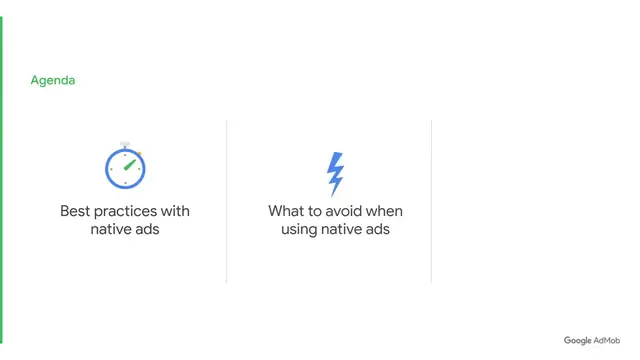
in this video we'll review some best
0:23
practices that you can employ when
0:24
incorporating native ads we'll then
0:26
discuss what to avoid when using native
0:28
ads and then conclude with some native
0:30
ad policy reminders to ensure you remain
0:32
compliant without any interruptions to
0:35
your ads let's start with some best
0:36
practices
0:38
the first thing you want to do is make
0:39
sure video demand is enabled
0:41
doing so ensures you're opted in for
0:43
every type of demand which will in turn
0:45
maximize your ad fill rates and ecpms
0:48
you can make sure you're opted in by
0:50
ticking the video box option as seen
0:52
here next take time to understand your
0:55
user journey and make the ad seem like a
0:57
natural part of your app experience you
0:59
can do this by matching the color design
1:02
and size to the design language of your
1:04
app's ui while you want your ad to fit
1:07
with the look of your app you also want
1:09
to make sure your users know your ad is
1:11
an ad
1:12
make sure your ads are distinct from the
1:14
content of your app by incorporating
1:15
subtle changes like elevation or drop
1:18
shadows you should also be sure to
1:20
include an ad badge or icon which we'll
1:22
be discussing later on in the video
1:24
these simple design tweaks can help your
1:26
ad stand out from surrounding elements
1:28
while still looking like it belongs
1:30
within your app
1:31
our final best practice is to test
1:33
multiple native designs and implement
1:35
the best ones after all different
1:38
designs perform better in different apps
1:40
app categories or regions
1:42
try firebase a b testing to test
1:44
different ad designs
1:46
now let's take a look at a developer who
1:48
has found success with native ads using
1:50
firebase a b testing
1:52
muslim pro is one such case their
1:55
challenge was to create the best user
1:57
experience while also maximizing
1:59
monetization but they didn't know what
2:02
the best user experience entailed and
2:04
what type of ad format suited them best
2:07
so they engaged in a b testing for
2:09
native display and native video in doing
2:11
so they found their optimal ad formats
2:14
and implementation technique this
2:16
resulted in a 43 increase in ecpms and a
2:20
respective 30 rise in revenue now that
2:23
you're equipped with the know-how we'll
2:25
run through what to avoid when using
2:27
native ads developers should avoid
2:29
creating native ads that look exactly
2:31
like their banners
2:32
instead consider using native ad
2:35
templates and customizing them
2:37
this helps you create native ads that
2:38
are not too simple or basic
2:41
advanced users can opt to start from
2:43
scratch and design their own ads from
2:45
the ground up for a fully customized ad
2:47
experience in general developers should
2:50
not use native to copy other ad formats
2:52
such as app open as this may violate
2:55
admob policies
2:57
finally let's review a few important
2:59
policy reminders to help make sure that
3:01
your ads are compliant with admob policy
3:04
first the ad view must be above 32dp for
3:08
android or pts for ios in both width and
3:11
height
3:12
second the main asset should be rendered
3:14
in media view this main asset media view
3:17
must be above 120 by 120 to serve video
3:20
ads
3:21
our second policy reminder revolves
3:23
around attribution there are two parts
3:25
to this add attribution and the add
3:27
choices icon
3:29
when looking at ad attribution we
3:31
require that your ads must display the
3:33
word add or advertisement
3:35
otherwise your ad should include a badge
3:37
that says add with a minimum 15 pixel
3:40
height to width
3:41
with ad choices or ads by google icon we
3:44
require you to have something like this
3:46
the reason for having an ad attribution
3:48
and the ad choices icon is to
3:50
differentiate the ad from the content of
3:53
your app
3:54
so what exactly constitutes distinct
3:56
differentiation one ensure that the ad
4:00
attribution and ad choices or ads by
4:02
google icon is not hidden in any way
4:05
second ensure none of the ad attributes
4:07
look like navigation features within
4:09
your app for example avoid placing x
4:12
closing icons or forward or back buttons
4:15
as elements of your native ads third
4:18
ensure any white space or background
4:20
image is not clickable this means that
4:22
only ad titles urls ctas and
4:25
non-background image assets should be
4:27
clickable we recommend checking for
4:29
extra white space around text you did
4:31
not intend to place and that concludes
4:33
the second part of our native ads
4:35
two-part series to recap understand the
4:38
user journey and make the ad an
4:40
integrated part of the user experience
4:42
don't use native ads to copy other ad
4:45
formats as this could violate admob
4:47
policies don't make the ad look
4:49
intrusive to the user try using the same
4:51
colors of the app ui and don't stick to
4:54
the same design all the time finally
4:56
stay policy compliant with your native
4:58
ads by keeping to the dimensions
5:00
described previously and include both
5:02
the ad attribution and ad choices icons
5:05
your ads should also be clearly distinct
5:07
from the rest of your app interface to
5:09
prevent accidental clicks once again
5:12
thank you for watching google admob
5:14
tutorials we hope you find them useful
5:16
but before you jump off we have even
5:19
more resources down by the description
5:21
box to make sure your native ad
5:23
experience with us is the best one
5:25
possible
5:26
and one last thing be sure to subscribe
5:28
to the google admob channel for more
5:30
best practices and tips on how you can
5:32
grow your app even further
5:42
you
#Marketing
#Advertising & Marketing